

For years, Adobe Photoshop reigned supreme in the world of digital design, having been considered a staple tool in all processes of photo editing and UI/UX designing. But with the rise of Figma—a cloud-based, collaboration-first design platform—the conversation has shifted. Many designers are now asking, “Is Figma the new Photoshop?”As design workflows evolve toward real-time collaboration, faster iteration, and web-focused outputs, the comparison between these two tools has become more relevant than ever.
In this article, we’ll break down how they stack up in today’s design landscape and why so many professionals are transitioning to Figma.
Figma vs Photoshop for Web Design in 2026: What Actually Matters?
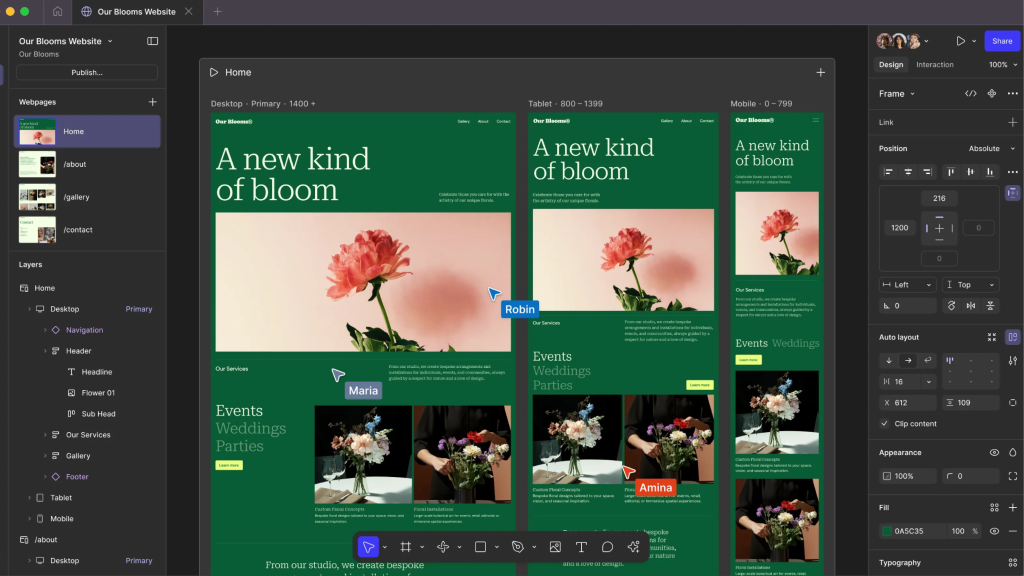
When comparing Figma vs Photoshop for web design in 2026, the real difference isn’t just about features – it’s about how each tool aligns with modern design workflows. Web design today is no longer a solo, static process. It’s fast-paced, collaborative, and deeply connected to development. Teams need tools that support real-time feedback, responsive layouts, and smooth handoff to developers. Figma is purpose- built for this environment, offering a browser-based platform where designers, developers, and stakeholders can work together simultaneously, test ideas quickly, and iterate without friction.
Photoshop, on the other hand, remains a powerful raster-based tool originally created for image editing and later adapted for interface design. While it excels in detailed visual work like photo manipulation and graphics, its workflow still revolves around static files and individual editing sessions. This makes it less suited for dynamic, team-based web projects.
As the industry has shifted toward design systems, scalability, and continuous collaboration, the gap between Figma and Photoshop has become less about what they can do and more about how efficiently they fit into modern, collaborative web design processes.
Figma vs Adobe Photoshop: Feature Comparison for UI and Web Design
When comparing Figma vs Adobe Photoshop for UI and web design, the emphasis must be on those functions that are used specifically for creating interfaces, scaling, and collaborating, but not for generic image editing purposes. The main point about Figma is that it is created specifically for user interface design, providing an organized approach to laying out the project and using components to facilitate further development. Photoshop, being one of the most powerful software solutions for visual design, treats user interface design as a compromise.
Let’s see a side-by-side comparison of them :
| Feature | Figma | Adobe Photoshop |
| UI Design Efficiency | High – built for UI workflows and rapid processes | Moderate – requires manual setup and repetition |
| Pixel-Perfect Control | Good – precise, but optimized for systems | Excellent – industry-standard for detailed visuals |
| Collaboration | Real-time, multi-user collaboration | File-based sharing, limited real-time collaboration |
| Performance | Optimized for complex design systems | Can slow down with large, multi-artboard files |
| Learning Curve | Easier for UI/UX-focused designers | Steeper due to broad, image-editing-focused features |
When Should You Use Figma vs Photoshop for Graphic and UI Design?
The decision between choosing between Figma and Photoshop for UI and graphic design is dependent on the kind of job you will be undertaking. Figma would suit UI and web design where there is a need for responsiveness, reusability, and collaboration. The tool suits projects where there will be constant iterations and collaborations during the design process. Photoshop would suit scenarios involving graphic design, such as photography, digital painting, brand creation, marketing, etc., where there is a need for pixel-level precision. Practically, most designers end up using both tools to complement each other. They will use Figma for layout design, while Photoshop will come in handy when making high-quality assets.
Best Use Cases for Figma
Figma excels in modern, collaborative design environments where speed, scalability, and teamwork are essential. It’s especially suited for digital product design and workflows that require constant iteration and feedback.
- UI/UX design and wireframing for websites, apps, and digital products.
- Building and maintaining design systems for scalable, consistent interfaces.
- Team collaboration, especially in remote or cross-functional workflows.
- Rapid prototyping, testing, and iterative design processes.
Best Use Cases for Photoshop
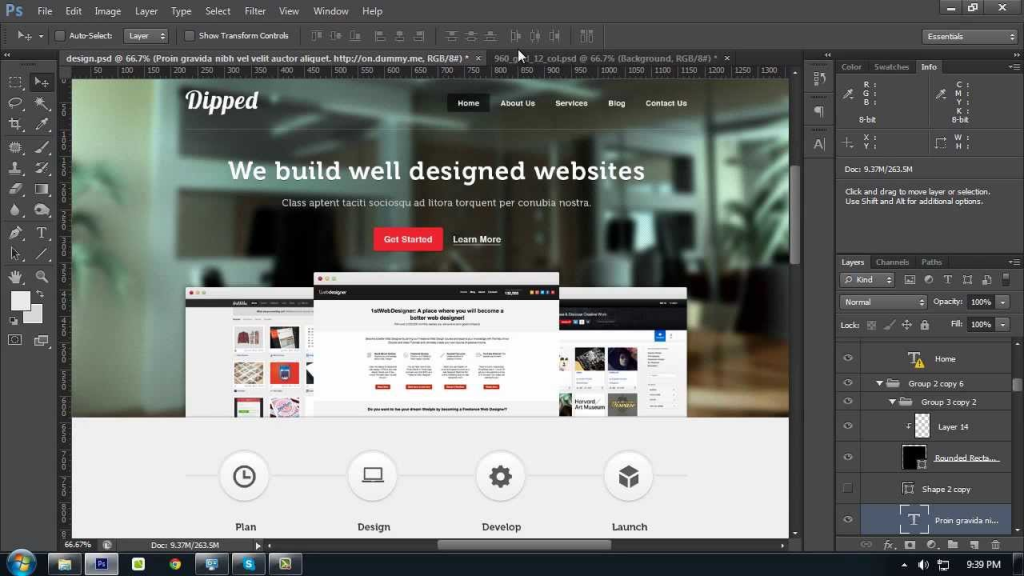
Photoshop remains a top choice for visual-heavy design work where precision and creative control over images are critical. It’s best used for standalone graphics rather than full UI workflows.
- Photo editing and high-resolution image manipulation.
- Creating advanced raster graphics and digital artwork.
- Designing marketing visuals like banners, ads, and social media assets.
- Performing detailed, pixel-level adjustments and visual refinements.
If you want to know about the “Top 10 ChatGPT Plugins Every Modern Web Developer Needs in 2026.” then click here.
Photoshop vs Figma for Client Projects: Workflow, Speed, and Collaboration

When evaluating Photoshop vs Figma for client projects, the most evident disparities manifest themselves in terms of the effectiveness of the working process, its speed, and the smoothness of communication among designers, clients, and developers. Indeed, Figma is tailored for modern workflows that enable collaboration via real-time access to projects provided by means of sharing a single link. In such a way, Photoshop can be viewed as more traditional software with file-based working processes that imply manual work on exporting, distributing, and revising designs.
How collaboration impacts project success:
- Real-time teamwork vs isolated editing: Figma enables multiple people to work on the same file simultaneously, while Photoshop is usually handled by one designer at a time.
- Shared workspace vs file exchanges: Figma keeps everything in one live project space; Photoshop depends on sending and receiving updated files.
- Built-in tracking vs manual updates: Figma records every change automatically, whereas Photoshop requires designers to manage and organize revisions themselves.
- Clickable prototypes vs static mockups: Figma helps clients experience the design flow; Photoshop only shows fixed visual layouts.
- Direct dev access vs handoff friction: Figma allows developers to inspect designs instantly, while Photoshop requires separate exports and explanations.
Why Designers Are Making the Switch to Figma
The shift from Photoshop to Figma in the design community is not just about adding new features- it reflects a deeper change in how modern design work actually happens. In case of an increasing desire to go faster, collaborate more effectively, and have a product-oriented approach, there arises a necessity to continuously iterate, receive instant feedback, and communicate easily. That’s why the latter tool appears to be very natural in such an environment.
- Speed and Flexibility: Figma’s real-time collaboration enables teams to work simultaneously and make quick updates.
- Stronger focus on UI/UX design: As digital products take center stage, Figma’s tools are better aligned with responsive and interactive interfaces.
- More beginner-friendly: Figma offers a cleaner, more intuitive interface, making it easier to learn compared to Photoshop’s more complex environment.
Common Concerns Designers Have About Figma vs Photoshop
Designers often hesitate when choosing between Figma and Photoshop, not because of a lack of features, but due to practical concerns about workflow, performance, and adaptability. Questions about learning curve, file compatibility, creative control, and long-term usability frequently rise. Understanding these common concerns helps designers make more confident decisions based on their specific needs and project requirements.
Is Figma Better Than Photoshop for Web Design in 2026?
Figma should be preferred over Photoshop for web design due to its UI/UX workflow support, responsive layouts, and ability to work in real time with a team of developers. Photoshop can also be used, however, it does not support modern web design techniques.
Why Are Designers Switching From Photoshop To Figma?
Well, it’s because of its fast performance and ability to collaborate. This is why designers are able to work on one document together, give instant feedback, and transfer designs to developers faster than what Photoshop enables.
Which Is Easier To Learn, Figma or Photoshop?
Figma is easier for beginners, especially for web and UI design. Its interface is simpler, and most features are focused on layout and design systems. Photoshop has a steeper learning curve due to its wide range of tools and complex controls.
Can You Use Figma and Photoshop Together In One Workflow?
Yes, most designers use Figma to create layouts and user interfaces and Photoshop to edit images or create visual assets. Using both these software together will result in better output than using either individually.
Which Is Faster for Client Projects, Figma or Photoshop?
The reason Figma is more efficient at handling client work than other software tools is due to its live collaboration features, immediate feedback, and quick changes. This allows clients to see their work instantly.
Is Figma The New Photoshop?
While Photoshop remains the leading choice for complex graphic design and advanced image editing, Figma has rapidly established itself as the preferred tool for UI/UX design. Its cloud-based nature, combined with real-time collaboration and a more intuitive interface, makes it especially appealing for modern, team-driven workflows. Designers can easily share, iterate, and gather feedback without the friction of traditional file handling.
As the demand for digital products continues to grow, Figma is increasingly seen as the future for interface design and collaborative projects. However, Photoshop still holds a strong position in the creative industry, particularly for graphic designers who need precise control over visuals and high-end image manipulation. In many cases, the two tools complement each other rather than compete directly, each serving a distinct purpose in the design process.
Great Designs Need Great Hosting.
From Domain Registration to powerful VPS solutions, Gotmyhost is the ultimate partner for modern designers and developers in 2026.