

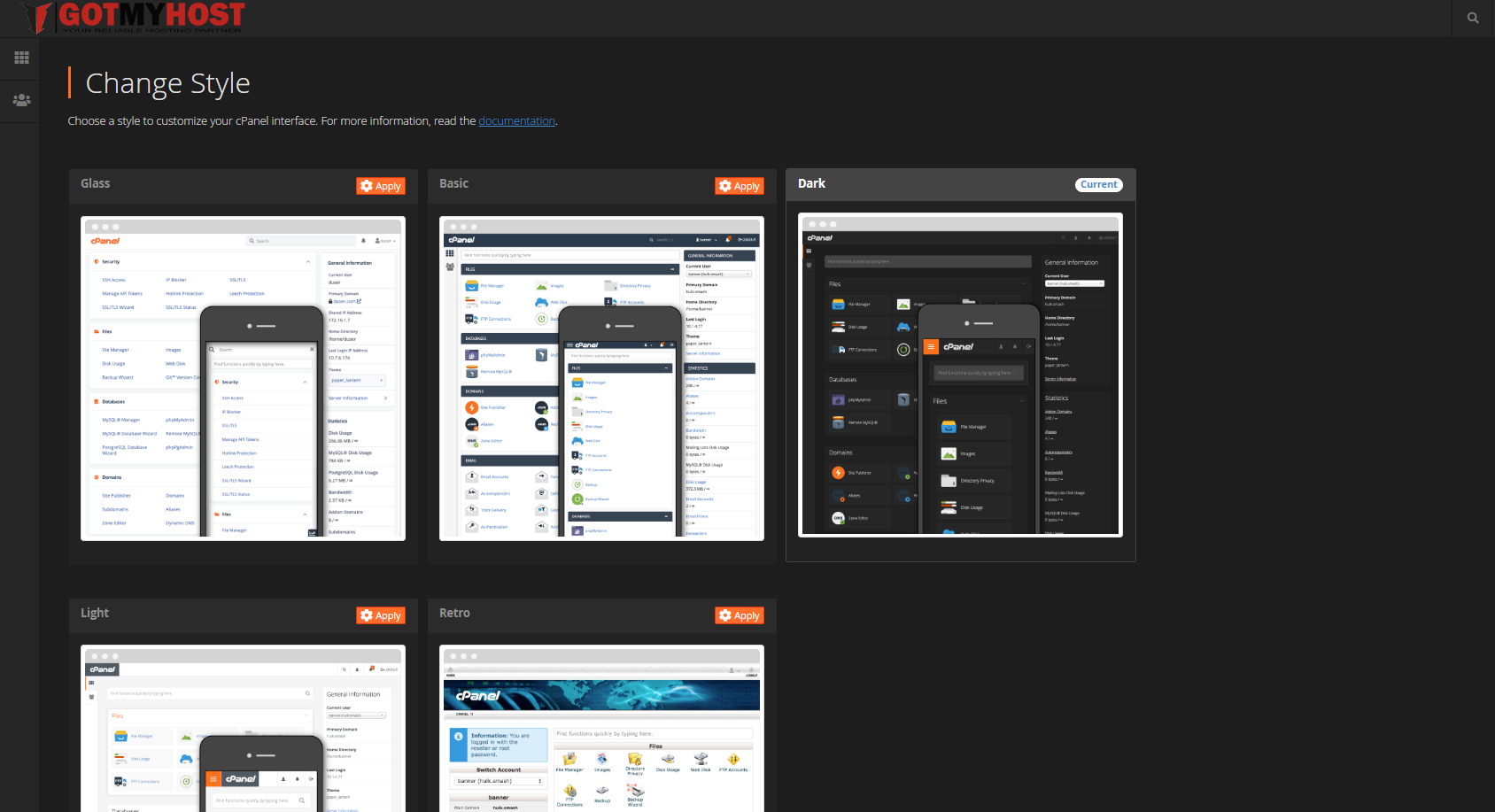
To Change cPanel Style follow the steps :
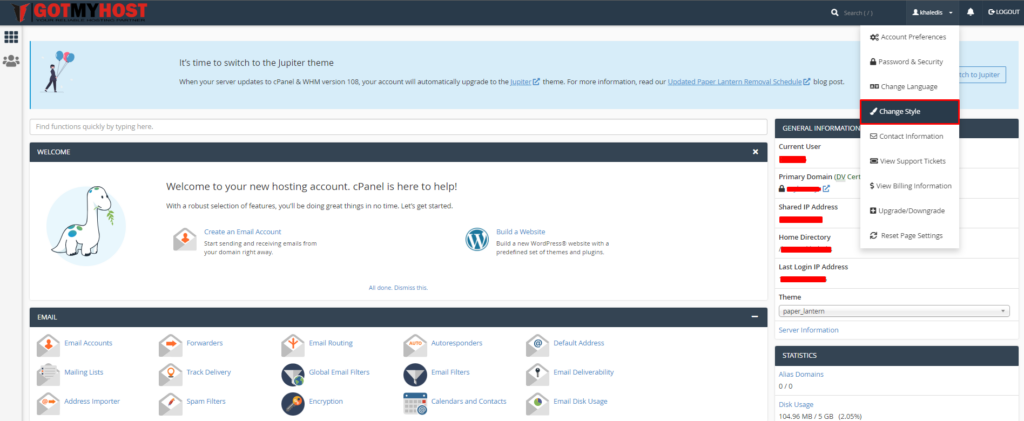
- Log in to your cPanel
- Click User Preferences from the top menu bar of your cPanel
3. Click Change Style
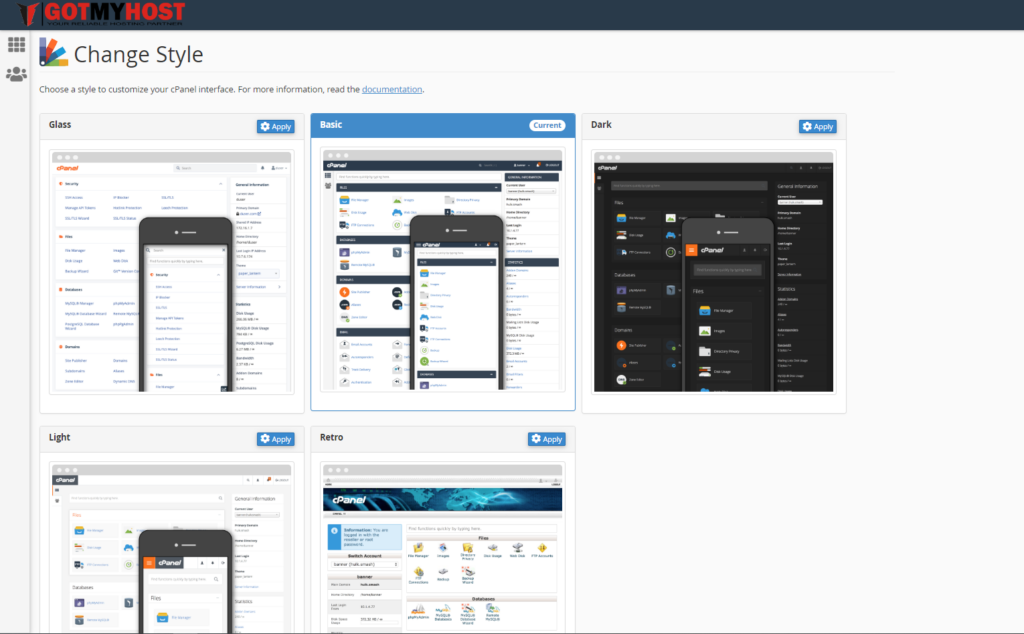
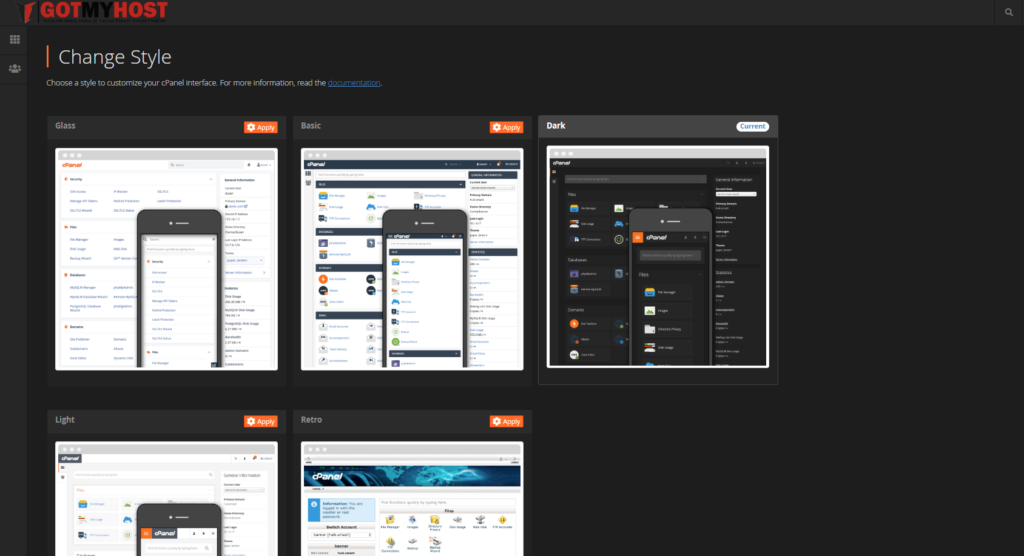
Then it will take you to the Change Style dashboard. Here you will see different types of styles and current using style
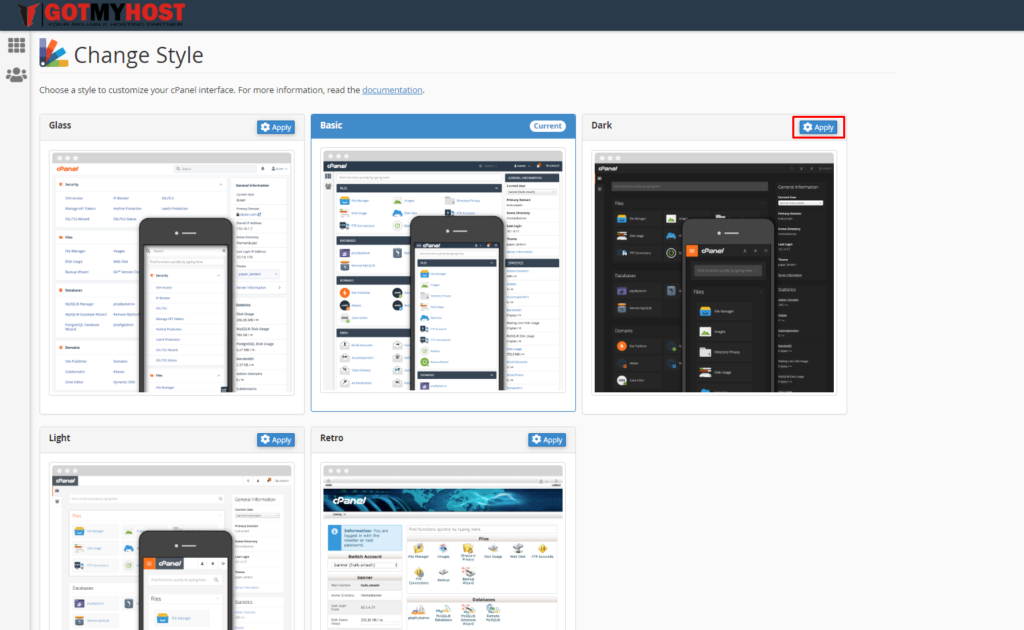
4. Click Apply, which you wish to use –
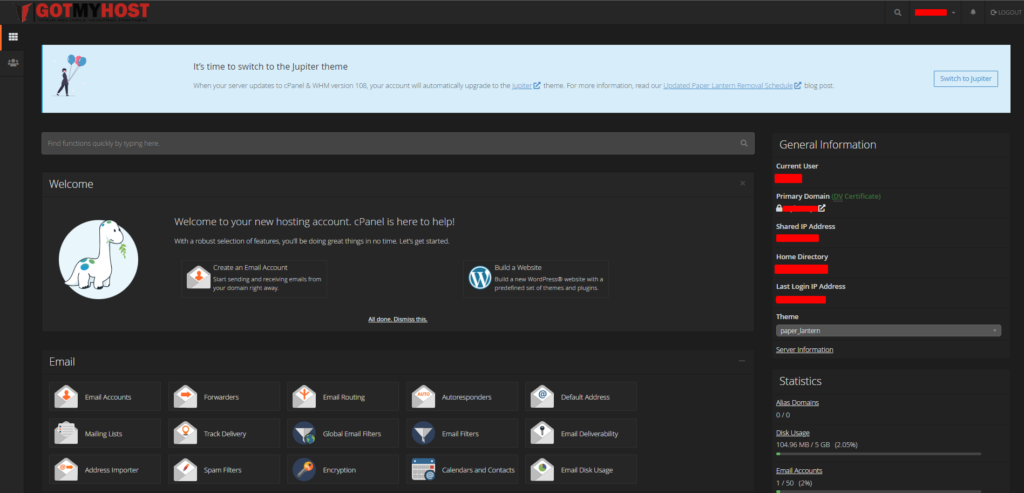
After that, you will see the change in your cPanel
That’s it
If you face any issues in the process knock the technical team in the live chat. They will assist you.