
How to know your VPS Server SSH Port
To know your VPS Server SSH Port follow the steps: 3. Scroll down a little bit 4. Click on the VNC icon, as below seen 6. Click Launch HTML 5 VNC Client It will open a window, as below seen-…

To know your VPS Server SSH Port follow the steps: 3. Scroll down a little bit 4. Click on the VNC icon, as below seen 6. Click Launch HTML 5 VNC Client It will open a window, as below seen-…

To Redirect Domain from cPanel follow the steps: 2. Here first select the redirect type (permanent or temporary) depending on your need, then select the domain you want to redirect, then write the destination website where the domain will be…

To Install WordPress Cache Plugin follow the steps: 3. Search for the desired cache plugin you wish to install. Here, I will install the Lite Speed Cache plugin. You can install another plugin such as W3 Total Cache or you…
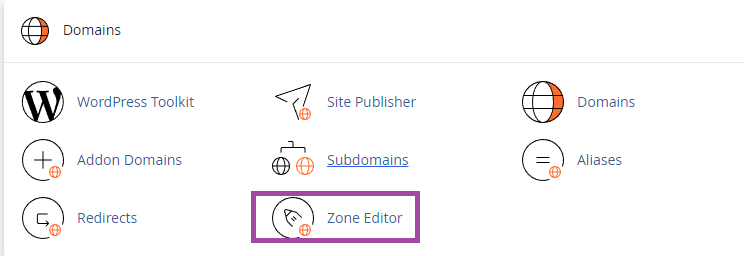
1. Log into the cPanel of the domain, search “zone” and go to Zone Editor to manage DNS Records from cPanel Zone Editor. 2. You will find an option to record and manage records here to manage DNS Records from…