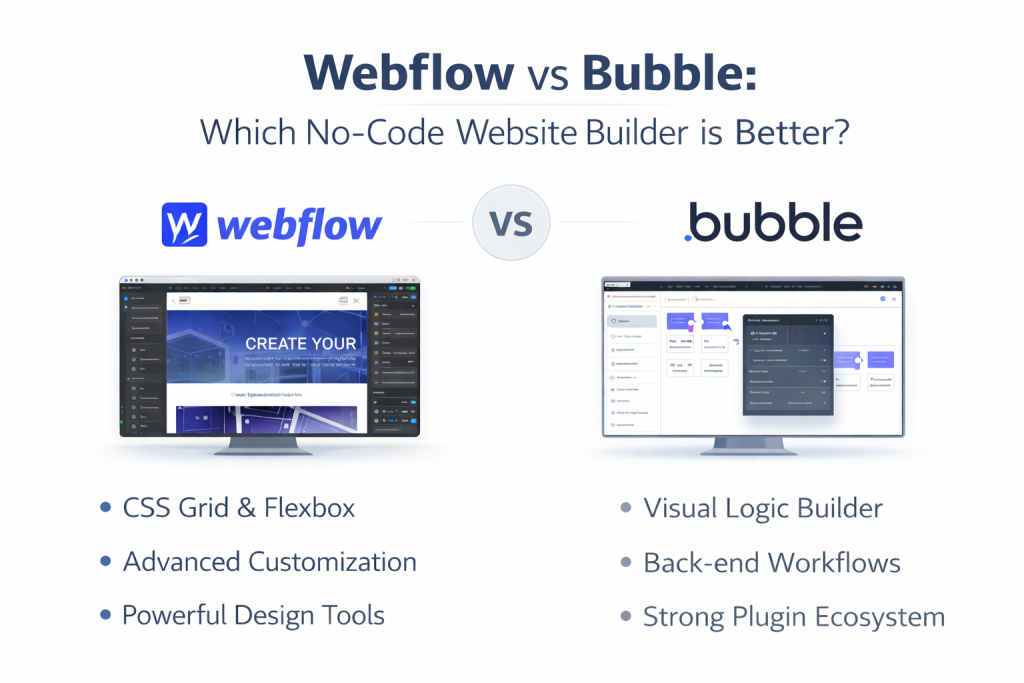
Choosing between Webflow and Bubble in 2026 is no longer just about “simple vs. complex.” With both platforms integrating heavy-duty AI assistants and native mobile capabilities, the line has blurred—but their core DNA remains distinct. No-code tools like Webflow and Bubble have made it possible for non-technical founders to launch digital products without writing a single line of code. These no-code app builders use drag-and-drop tools and prebuilt templates, enabling most people to create apps quickly without traditional coding. But picking the wrong platform can waste weeks of time and money.
At Gotmyhost, we see users thrive on both, provided they pick the tool that matches their ultimate goal: Stunning Visuals or Complex Logic.
Webflow: The King of Digital Experiences
In 2026, Webflow has evolved into a “Website Experience Platform.” It is the gold standard for marketing sites, high-end portfolios, and content-heavy blogs.
Why choose Webflow?
- Design Freedom: You aren’t building with templates; you’re building with the power of CSS in a visual interface.
- The 2026 CMS Update: Webflow recently re-architected its CMS to handle 1 million items, making it viable for massive directory sites that used to require custom backends.
- AI SEO & AEO: Webflow’s new AI tools automatically optimize your site for “Answer Engine Optimization” (AEO), ensuring you rank in AI search summaries (like Perplexity or ChatGPT).
Bubble: The Powerhouse for SaaS & Apps
If you are building the next Airbnb, a custom CRM, or a social network, Bubble is your tool. It is a full-stack platform, meaning it handles the front end, the database, and the logic in between.
Why choose Bubble?
- Native Mobile (New for 2026): Bubble now offers a native mobile builder. You can build one backend and deploy it as a web app, an iOS app, and an Android app simultaneously.
- Complex Logic: Bubble’s “Workflow” system allows for intricate “if-this-then-that” logic. You can process payments, manage user roles, and trigger complex API calls effortlessly.
- Bubble AI Agent: The 2026 “AI Agent” allows you to describe a feature (e.g., “Build a subscription-based paywall for my dashboard”) and the agent builds the logic and database structure for you.
Webflow VS Bubble: What are The Differences?
| Element | Webflow | Bubble |
| Tool type | CMS + visual website builder | No-code application platform |
| Complexity | Low to medium | Medium to high |
| Use cases | Marketing sites, blogs, light e-commerce | SaaS apps, marketplaces, dashboards |
| Design | Pixel-perfect, full CSS control | More limited, less flexible styling |
| Performance | Excellent | Average |
| SEO | Excellent | Average |
| Scalability | Very good for websites | Excellent for applications |
| Learning curve | Easy | Longer |
| Pricing | Affordable | More expensive depending on usage |
Web Apps, Native Apps, and AI Apps
Choosing between Webflow and Bubble depends heavily on what you’re building:
Web Apps
- Bubble is the clear winner. It supports user accounts, databases, logic, and dynamic content out of the box.
- Webflow can’t build true web apps without third-party hacks.
Native Apps
- Bubble supports native mobile apps through its native builder and wrappers, letting you publish to app stores from the same project.
- Webflow does not offer native functionality like push notifications or offline access.
AI Apps
- Bubble allows API integrations with OpenAI, Claude, and other AI services to build AI-powered apps.
- Webflow does not natively support this.
Step-by-Step: Which should you choose?
If you are still undecided, follow this logic:
Choose Webflow if:
- Brand is everything: You need a site that looks like a high-end agency designed it.
- SEO is the priority: You are building a blog, a portfolio, or a business site where organic traffic is key.
- You want to “own” the code: You might want to export your site and host it elsewhere later.
Choose Bubble if:
- Users need to “do” things: You need logins, dashboards, data processing, and user-to-user interaction.
- You need an App Store presence: You want your project to be downloadable on the Apple App Store or Google Play.
- You’re building an MVP: You need to prove a software business model without hiring a $100k developer.
Still can’t decide?
Our experts at Gotmyhost are ready to help. Choosing the right platform is a big decision for your hosting and development roadmap.
Other Topic: KVM vs ESXi: Which Hypervisor is Best for Your Server?
Related Posts