

Webflow and Bubble are leading no-code platforms with distinct focus areas: Webflow excels in design-first, responsive websites and CMS-driven content, while Bubble is built for functional, database-driven web applications with complex workflows. Webflow is better for portfolios and marketing sites, whereas Bubble is ideal for MVPs, marketplaces, and user-interactive tools.
Webflow or Bubble for your web project in 2026? This article, written by experts from the Webflow Noqode agency, compares these two no-code platforms in depth, covering their use cases, design, backend, application logic, and real pricing, to help you choose the option that best suits your needs, without any fuss.
Bubble has crossed the 5 million applications created on its platform in 2025. Webflow has more than 3.5 million active users, and its customers include Dropbox, TED, Lattice, and hundreds of premium agencies worldwide. These two no-code solutions share the promise of “build without coding,” but they address structurally different needs, as this comparison will reveal.
What Is Webflow?
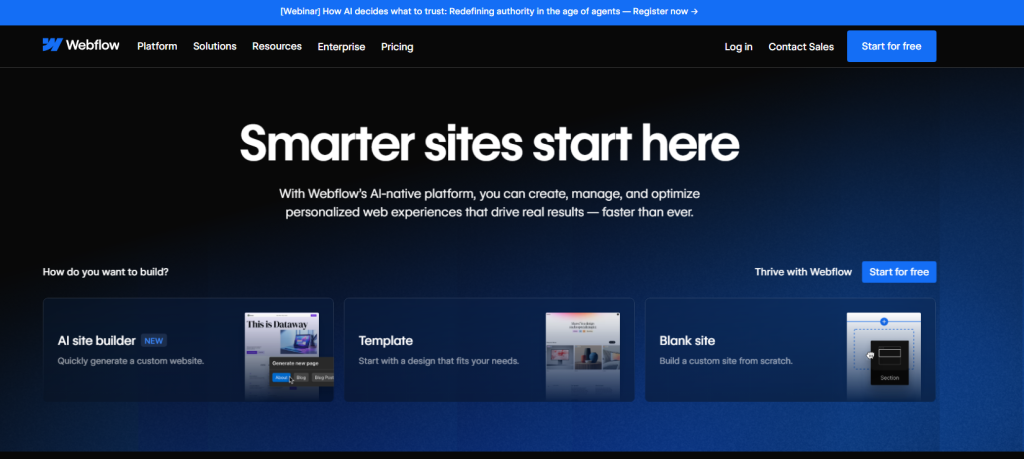
Webflow is a powerful no-code and low-code platform that allows users to design, build, and launch fully responsive websites without needing advanced programming skills. It provides a visual drag-and-drop editor that automatically generates clean HTML, CSS, and JavaScript code in the background, helping designers create professional websites more efficiently.
One of Webflow’s key strengths is its built-in Content Management System (CMS), which makes it easy to manage dynamic content such as blog posts, portfolios, team members, and case studies. The platform also includes robust SEO tools that allow users to customize Meta titles, Meta descriptions, URLs, and sitemaps to improve search engine visibility.
In addition, Webflow offers fast hosting, security, and e-commerce functionality within the same platform. Users can create online stores, add animations and interactive elements, and publish websites with reliable hosting and global CDN performance, making it a complete solution for modern website development.
What Is Bubble (No-Code Platform)?
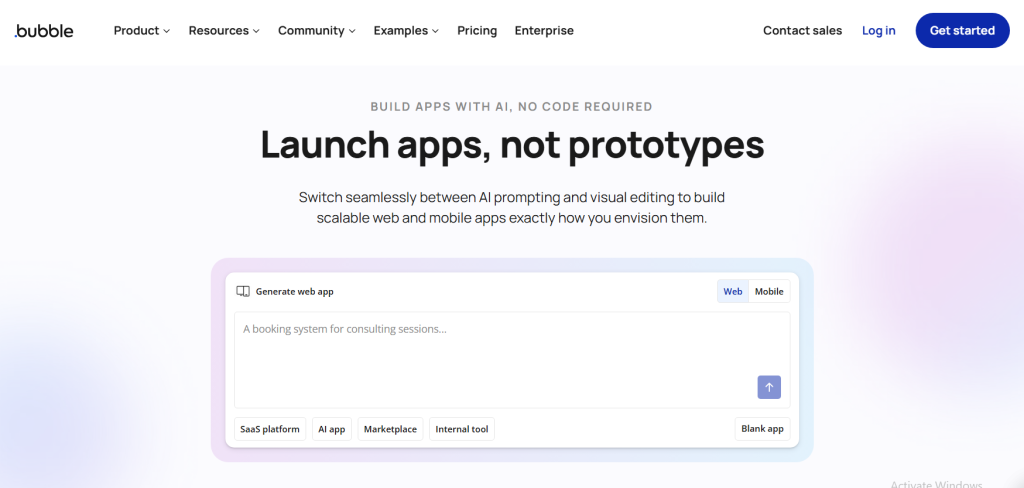
Bubble is a powerful no-code platform that allows users to build fully functional web applications and websites without writing traditional code. Using its visual development interface, users can design layouts, create workflows, and manage databases through an intuitive drag-and-drop system. This makes it possible for entrepreneurs, startups, and businesses to develop applications quickly without hiring large development teams.
One of Bubble’s key strengths is its ability to handle complex application logic and database management. Users can create dynamic pages, user authentication systems, payment integrations, and interactive features directly inside the platform. It also supports plugins and API integrations, allowing developers to connect third-party services and extend the functionality of their applications.
Bubble is especially popular among startups and product creators who want to build and test Minimum Viable Products (MVPs) quickly. With built-in hosting, responsive design tools, and scalability options, Bubble helps businesses launch web apps, marketplaces, SaaS platforms, and custom tools while reducing development time and costs.
Use Cases: Who Should Use Webflow And Who Should Use Bubble?
Webflow is best for building professional websites and online stores, while Bubble is ideal for creating complex web applications and SaaS platforms without coding.
Who Should Use Webflow?
- SMEs: Need professional websites without intensive coding, as well as a user-friendly CMS for easy content updates.
- Large corporations: Need robust, scalable, and visually appealing websites that integrate seamlessly with their marketing and CRM systems.
- Freelance designers: Want to create personalized websites efficiently, taking advantage of design flexibility without in-depth coding knowledge.
- Online stores: Need visually appealing online stores that allow easy product management and inventory updates.
- Portfolio sites: Artists, photographers, and designers need platforms that support high-quality visuals and personalized design.
- Marketing teams: Need to quickly create and manage landing pages, using A/B testing and SEO tools for lead generation.
Who Should Use Bubble?
- Startups: Need to develop MVPs quickly with customized functionality and user interactivity without a full development team.
- SaaS companies: Need complex web applications with integrations to various third-party services and APIs.
- Non-technical entrepreneurs/founders: Want to create fully functional web software without in-depth development knowledge, focusing on scalability.
- Customized business applications: Companies need internal tools and dashboards with robust data and user management.
Bubble vs Webflow: A Comprehensive Comparison
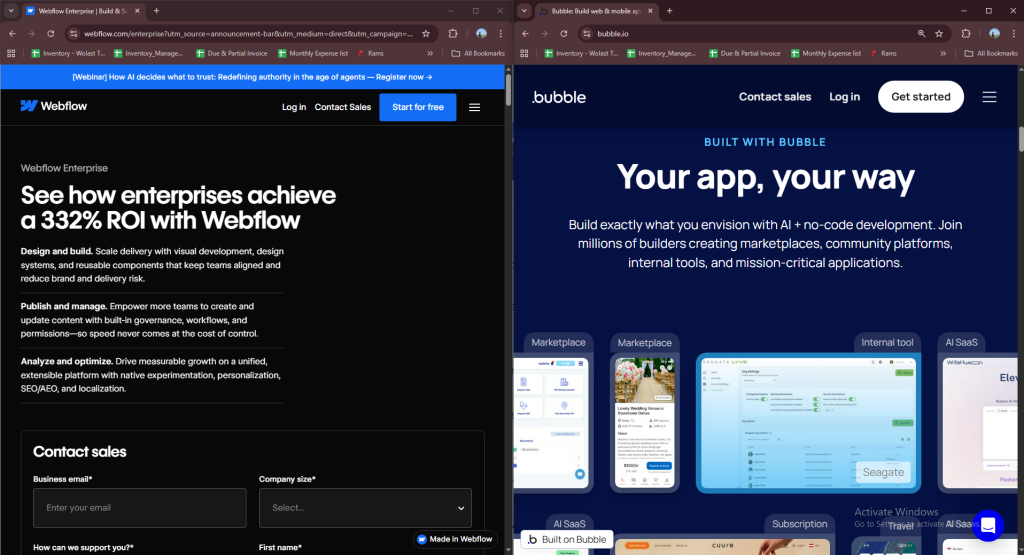
Unlike Webflow and Framer, which are similar in terms of service offered, Webflow and Bubble don’t serve the same purpose. Here’s a quick look at how their services differ, and what you can expect from each.
Webflow
- Web design and development: Webflow is primarily aimed at website creation. It provides a visual interface for designing websites, including e-commerce sites.
- For designers: It’s ideal for people who want to control the design of their site, and can be used by beginners and experienced developers alike.
- Custom code: It’s also possible to add your own code if required.
- E-commerce: Suitable for creating online stores with features such as shopping carts and payment processing.
- Hosting: Webflow offers hosting services, so you can put your website directly on their servers.
Bubble
- Web applications: Bubble is more focused on creating web applications. It lets you create database-driven applications with accounts, workflows, and complex logic.
- Data-driven: It’s known to handle data well, making it good for applications with user-generated content and interaction.
- No code: Bubble is designed for people who don’t want to code at all. You can create complex functionality without writing code.
- Integrations: It can connect to third-party services and APIs, helping to add external tools and data to your application.
- Functionality over design: Although the design can be customized, Bubble prioritizes functionality.
However, the two services overlap. For example, it’s possible to create web applications in Webflow, even though websites are its primary focus.
Read more: 5 Key Considerations to Build a Powerful Small Business Website
Webflow Vs Bubble.io Pricing Plans
Both Webflow and Bubble offer free plans. Although they come with various limitations and restrictions, they’re enough to get you started and help you use these tools. Let’s talk about them briefly.
Webflow Pricing
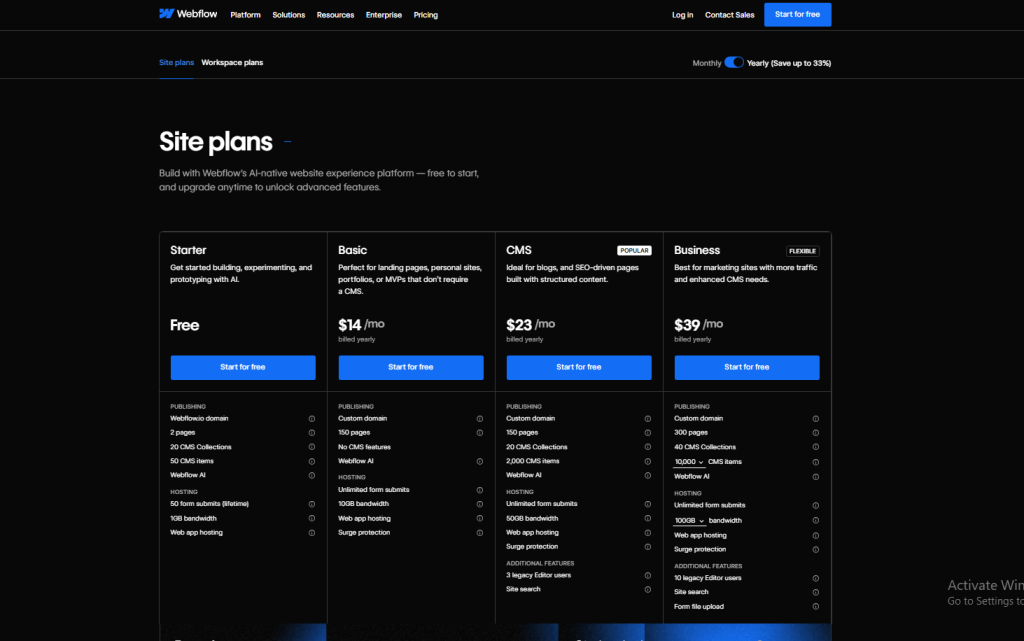
Webflow pricing is complex. It’s divided into two main groups of plans, one for people who want to build and host a site, and the other for in-house teams, freelancers, and agencies. If you work alone, you can choose the lowest hosting plan, which costs $14 per month.
If you want to use the workspaces and their various collaborative features, you’ll need to consider using one of the workspace plans in addition to the hosting package.
Bubble.io Pricing
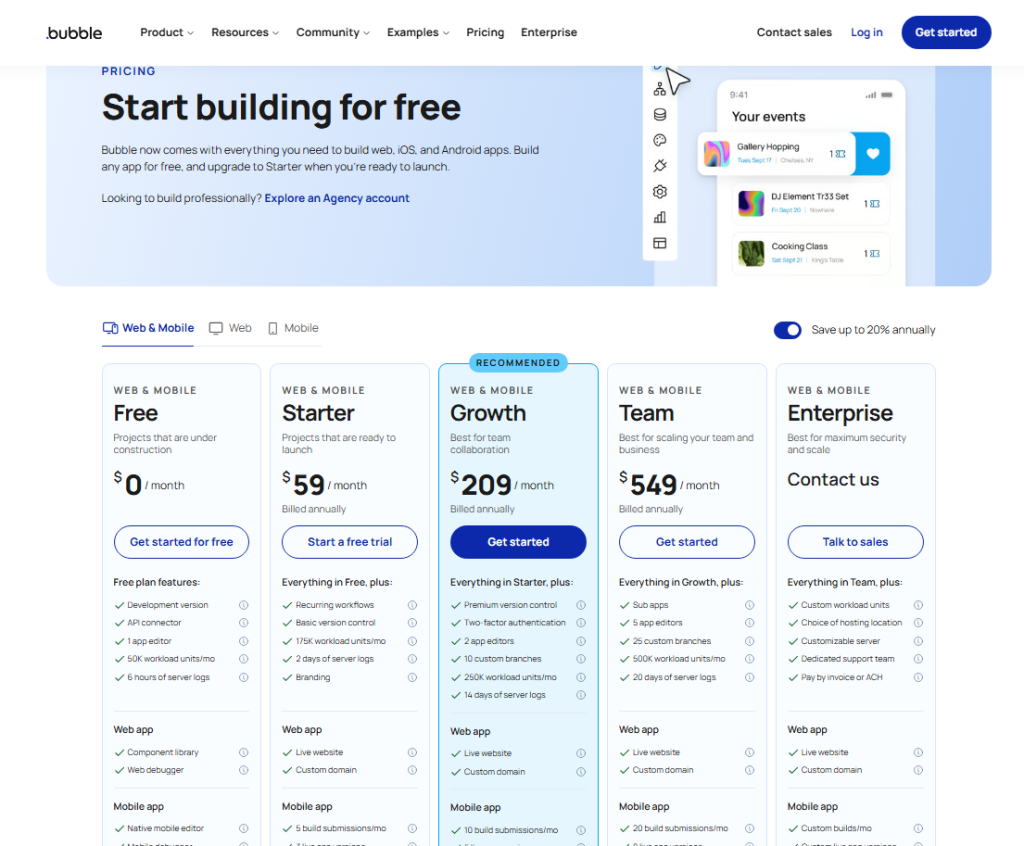
At first glance, it seems that Bubble’s pricing plan is fairly straightforward, unlike Webflow’s. This is a mistake. This is not the case.
The initial breakdown of plans is as follows:
- Free
- Starter
- Growth
- Team
- Custom
Each of these plans is unique, and you need to carefully analyze which one best suits the size of your project. What we’ve noticed is that the more expensive plans offer more editors, which is excellent for collaborative work. If you use the Team plan, you’ll be able to add 5 application editors, unlike the free version, which only allows one application editor.
Advantages and Disadvantages of Webflow
Webflow is a powerful no-code platform known for its design flexibility and ease of building modern, responsive websites. It’s widely used by businesses and designers for creating professional sites without coding. However, like any tool, it comes with both strengths and limitations.
Advantages of Webflow :
- Scalability: Designed to grow with your marketing site and operations.
- Design flexibility: Webflow offers extensive design capabilities, enabling you to create visually stunning and unique websites without coding.
- User-friendly CMS: Its intuitive content management system makes it easy to update and manage website content on a regular basis.
- SEO tools: Integrated SEO tools help optimize the site for search engines, improving visibility and rankings.
- Rapid development: Enables rapid website development, ideal for marketing campaigns and tight deadlines.
- E-commerce integration: Offers robust e-commerce functionality, making it easy to set up and manage online stores.
- Responsive design: Automatically ensures that websites are mobile-friendly and look good on all devices.
Disadvantages of Webflow :
- Learning curve: Although powerful, Webflow’s advanced design tools can have a steep learning curve for beginners.
- Limited backend functionality: Not suitable for complex backend logic or database-intensive applications.
- Support: Customer support may not be as robust as needed for urgent, high-complexity problems.
Advantages and Disadvantages of Bubble
Bubble is a powerful no-code platform designed for building dynamic web applications without programming. It is especially popular for startups and MVP development due to its flexibility and functionality. However, it also has some limitations, particularly in performance and design.
Advantages of Bubble :
- Code-free development: Enables users to create fully functional web applications without the need for coding.
- Customized functionality: Offers extensive customization options, enabling the creation of complex workflows and applications.
- Third-party integrations: Integrates easily with various third-party APIs and services, enhancing application functionality.
- Rapid prototyping: Ideal for rapidly prototyping and testing new features or applications.
- Community support: Strong community and extensive resources available for learning and troubleshooting.
Disadvantages of Bubble :
- Performance: May experience slower performance with very large or complex applications.
- Learning curve: Although code-free, mastering Bubble’s full potential requires a significant time investment.
- Design limitations: Not as visually flexible or intuitive to design as dedicated website builders like Webflow.
- Cost: Can become expensive as your application evolves, especially with high traffic and advanced functionality.
- SEO: Not as powerful in terms of default SEO capabilities, requiring extra effort to optimize for search engines.
- Platform dependency: Heavy dependency on Bubble’s infrastructure means less control over hosting and scalability options.
People’s Queries About Webflow vs. Bubble?
Many users compare Webflow and Bubble to understand which platform fits their project needs. The most common questions focus on SEO performance, ideal project types, and when to choose one platform over the other.
1. Which Platform is Better for SEO, Webflow or Bubble?
Webflow is generally considered superior for SEO due to its advanced features, such as clean code, customizable meta tags, and automatic sitemap generation. These elements enhance search engine visibility and help improve rankings. In contrast, Bubble offers basic SEO options but lacks the depth of Webflow’s capabilities.
2. What Types of Projects Are Best Suited for Webflow?
Webflow is ideal for creating visually appealing websites, including portfolios, blogs, e-commerce sites, and marketing pages. Webflow excels in design flexibility and responsive layouts, making it a great choice for designers and small business owners looking to establish a strong platform that best aligns.
3. When Should I Choose Bubble Over Webflow?
Choose Bubble if your project requires complex web applications with robust data management, user authentication, and workflow automation. Bubble is particularly beneficial for entrepreneurs.
4. How does Bubble compare to Webflow for building web applications?
Bubble is far more suited to building web applications than Webflow. It includes database management, workflows, user authentication, and API integrations, enabling complex app development. Webflow focuses on design and CMS capabilities, so while apps are possible, they require more external integrations and lack Bubble’s native functionality.
5. Which is more cost-effective, Webflow or Bubble?
Webflow is often more cost-effective for smaller websites because hosting, CMS, and design tools are bundled. Bubble’s costs increase with app complexity, as pricing is tied to workload units and editor access. For apps, Bubble is worth the expense, but for websites, Webflow generally offers better value.
Bubble vs Webflow: Which Platform Is Best for Your Business?
Both Bubble and Webflow offer distinct advantages tailored to different needs within the no-code ecosystem. Businesses should carefully assess their specific requirements—whether they prioritize exceptional webflow templates or robust application functionality—to choose the best platform that aligns with their objectives. By harnessing these powerful tools, organizations can expedite their development processes and bring innovative solutions to the Webflow and Bubble marketplace more rapidly than ever before. Finally, we can say that to make a difference between Bubble and Webflow and choose the right one is very difficult.
Ready to launch your project but worried about the technical backend? Choosing between Bubble and Webflow is only the first step. To ensure your application performs at its peak, you need a hosting partner that understands high-performance infrastructure. At Gotmyhost, we provide the rock-solid hosting environment and technical expertise needed to scale your no-code solutions.
Get Started with Gotmyhost Today — Let our experts handle the servers while you focus on building your vision.