Meta Title: Website Builder vs WordPress: Finding the Right Fit for Your Needs
Meta Description: Compare website builders and WordPress to find the best solution for your project. Explore their pros and cons to make an informed choice. Read more!
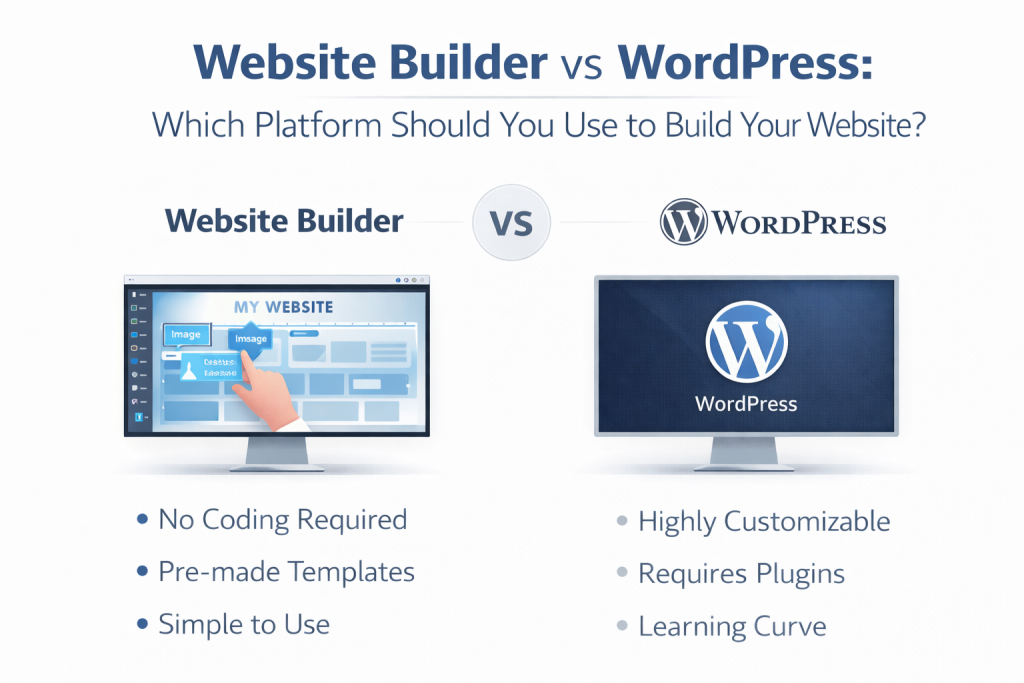
WordPress is a popular open-source content management system (CMS) used to create and manage websites. As a self-hosted CMS, WordPress offers unmatched customization through themes, plugins, and full access to your site files. It requires separate hosting and ongoing maintenance, which can be more complex than using a website builder.
WordPress offers a vast WordPress ecosystem, featuring an extensive selection of themes, plugins, and page builders that provide unmatched customization and flexibility for website design and functionality. Theme customization allows users to personalize their site’s appearance, while page builders like Elementor, Oxygen, and Breakdance enable advanced layout and design customization within the WordPress ecosystem.
Users can add custom functionality and custom code, modifying the underlying code for unique features and complete control over their websites—something not possible with most website builders. WordPress runs on any type of hosting you choose, provided it meets minimum requirements, allowing for effective scalability.
WordPress websites are known for their flexibility and scalability, and the platform powers over 40% of all websites worldwide, making it a dominant choice for various website types. It’s user-friendly, with a simple dashboard for managing content, pages, and posts, and is favored by those who want total control over their site’s design, SEO, and advanced features. Many users choose WordPress when they want total control over their site, enabling complex designs and functionalities that website builders may not support.
Table Of Content
Block Editor: The Heart of WordPress Content Creation
Add-ons and Integrations: Expanding Your Site’s Capabilities
SEO and Marketing with WordPress
Small Business Solutions with WordPress
Website Builder vs WordPress: Breakdown Of Features & Services
Platform Control and Security: Who Really Owns Your Website?
What are the advantages of website builders over WordPress?
Disadvantages of a Website Builder Compared to WordPress
Common Queries On Choosing WordPress vs Website Builder
Choosing Between WordPress and Website Builders: Which Is Right for You?
Block Editor: The Heart of WordPress Content Creation
The Block Editor, often referred to as Gutenberg, is at the core of WordPress’s modern content management system. Designed with both beginners and advanced users in mind, the Block Editor uses a visual, block-based approach to building pages and posts.
Each piece of content—whether it’s a paragraph, image, video, or button—is added as a separate block, which you can easily move, edit, or customize. This means you can create visually appealing layouts and complex content structures without any coding or advanced technical knowledge.
The intuitive interface makes it simple for users with limited technical knowledge to design and update their site, while still offering the flexibility and power that more experienced users expect. With a growing library of blocks and customization options, the Block Editor empowers anyone to create professional, dynamic content on their WordPress site.
Add-ons and Integrations: Expanding Your Site’s Capabilities
One of the standout features of WordPress is its vast ecosystem of add-ons and integrations. These add-ons, known as plugins, allow you to easily extend your site’s functionality without needing to touch a single line of code. Whether you want to add contact forms, integrate with social media platforms, set up an online store, or connect to email marketing services, there’s a plugin for nearly every need.
The WordPress plugin directory offers thousands of free and premium options, making it easy to tailor your site to your exact requirements. Integrations with third-party tools and services further enhance your site, enabling features like analytics, payment gateways, and multilingual support. With WordPress, you can continually expand and improve your site as your needs evolve, ensuring your website remains competitive and up-to-date.
SEO and Marketing with WordPress
WordPress offers a robust set of tools to help your site stand out in search engines and reach a wider audience. From the start, WordPress is built with SEO best practices in mind, making it easier for your content to be discovered by search engines like Google. You can further enhance your site’s SEO capabilities with powerful plugins such as Yoast SEO, which help you optimize meta titles, meta descriptions, and content for better rankings.
In addition to SEO, WordPress offers a variety of marketing plugins and integrations, including tools for email marketing, social sharing, and Google Analytics tracking. These features make it simple to monitor your site’s performance, attract more visitors, and grow your online presence. Whether you’re running a personal blog or a business website, WordPress provides all the features you need to succeed in today’s digital landscape.
Small Business Solutions with WordPress
For small businesses, WordPress is a top choice thanks to its flexibility, affordability, and powerful customization options. With a wide range of website builders and page builder plugins, even those with minimal technical expertise can create a professional-looking site tailored to their brand. WordPress offers free themes and premium options, allowing small businesses to launch a site that fits their unique needs and budget. As your business grows, you can easily add new features—such as e-commerce capabilities, booking systems, or multilingual support—without having to rebuild your site from scratch. The platform’s scalability and extensive library of add-ons make it easy to adapt your site as your business evolves. For small businesses seeking a user-friendly, customizable, and future-proof solution, WordPress stands out as a reliable platform that supports growth and success online.
Website Builder vs WordPress: Breakdown Of Features & Services
The table below breaks down how these options compare across practical concerns, including hosting provider:
Category
Website builders
WordPress
Ease of use
Beginner-friendly, user friendly interface with a drag and drop interface for intuitive site design, minimal setup, and onboarding wizard. No technical setup required.
Steeper learning curve, more configuration required, and setup requires separate hosting and ongoing maintenance.
Core features
Built-in tools for design, SEO, and marketing in an all-in-one platform. Includes pre designed templates, design tools, ai tools, and some advanced features, but limited performance optimization.
Thousands of plugins and themes are available to extend functionality. Offers advanced features, extensive design tools, performance optimization options, and access to a wide range of ai tools and integrations.
Customization
Limited to what the builder provides – less flexible for unique features. Platform offers pre designed templates and basic customization, but vendor lock in restricts code access and migration.
Highly customizable with more control over design and functionality. Platform offers complete control, custom code, and full access to design tools and advanced features.
Hosting model
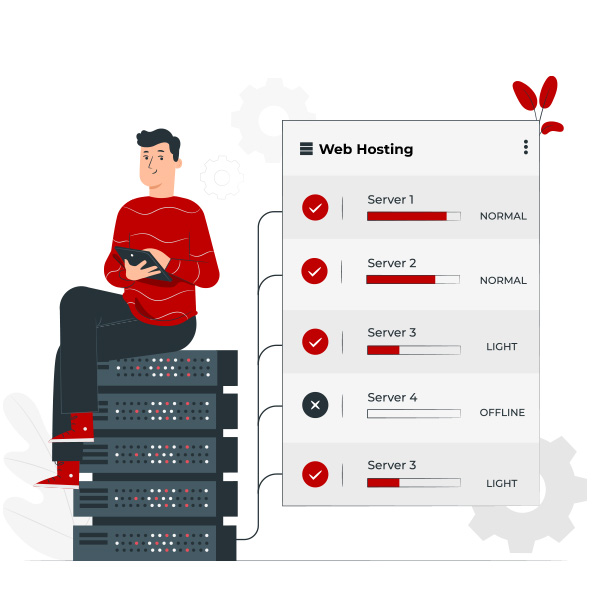
Hosting, security, and updates are handled by the website builder team. Hosting is bundled with the platform, and website builders typically include auto-scaling infrastructure to handle traffic spikes without manual intervention, so you don’t need a separate hosting company or plan.
Requires separate hosting – you choose your hosting company and hosting plans (shared, VPS, cloud, etc.), allowing for scalability as your traffic grows.
Maintenance
Minimal – most work is handled by the platform. Website builders handle platform maintenance automatically, including security patches and updates, making them ideal for users who want a secure, set-it-and-forget-it experience.
Requires users to manage their own hosting, security, and maintenance, which can create a learning curve. Managed WordPress Hosting automates many maintenance tasks, allowing users to have the WordPress experience without technical setup.
Cost
Predictable monthly or yearly subscription pricing. For example, Wix Premium plan is $17/month ($408 over 24 months), Squarespace Business is $25/month ($600 over 24 months). Bundled price includes hosting, design tools, support, and security. For a simple site, a website builder makes a better cost-to-value ratio, as everything is already included in a fixed subscription charge.
WordPress itself is free, but users must pay for hosting and a domain name. Hosting costs can range from $3 to over $30/month depending on the hosting company and features. Traditional WordPress setup: shared hosting at $5/month ($120 over 24 months) plus a premium theme ($59 one-time), totaling $179 over 24 months. The total cost can vary: basic blogs ($50–$100/year), small business sites ($200–$500/year), e-commerce ($500–$1,000+/year).
When considering wordpress vs website builder or wordpress vs other platforms, the main differences are in cost, flexibility, and technical requirements. Website builders offer a bundled, predictable cost and a user friendly interface with minimal setup, while WordPress requires separate hosting, more technical knowledge, and can scale with your needs through various hosting plans and companies.
Note: Many popular AI website builders actually create WordPress websites for you.
Migrating from a website builder to WordPress can be difficult due to vendor lock in, often requiring manual content migration. Website builders typically include CDNs and auto-scaling infrastructure to handle traffic spikes, but they limit your ability to optimize server configurations or implement custom performance solutions.
You can easily edit meta titles, descriptions, and alt text in website builders, but code-level optimization is not possible. The onboarding process for website builders uses a wizard and often includes ai tools, making it very simple to adjust site content and layout with minimal setup.
Platform Control and Security: Who Really Owns Your Website?
When it comes to building your online presence, understanding who truly owns and controls your website is crucial. With website builders, your site is hosted on the provider’s infrastructure, meaning the hosting provider manages your data, security, and updates. While this setup offers convenience and peace of mind—since the platform handles backups, SSL certificates, and security patches—it also means you’re subject to the provider’s terms of service and platform limitations. If the website builder changes its policies, discontinues features, or even shuts down, your site’s future could be at risk. Additionally, exporting your content or moving your site to another platform can be challenging due to proprietary systems and limited access to the site’s code.
In contrast, a self-hosted WordPress site gives you full control and ownership over your website and its data. You choose your hosting company, manage your own backups, and have direct access to all the files and databases that power your site. This level of control allows you to implement advanced security measures, customize your site’s code, and ensure your data is portable—meaning you can move your site to a different hosting provider at any time. However, with this freedom comes responsibility: you’re in charge of keeping WordPress, themes, and plugins updated, as well as managing security and performance optimization.
Ultimately, the choice between website builders and WordPress comes down to how much control and responsibility you want. Website builders offer a hands-off, user-friendly experience with built in tools for security, but at the cost of flexibility and true ownership. WordPress, on the other hand, empowers you with more control and complete ownership, making it the preferred choice for those who value independence, data security, and the ability to customize every aspect of their site.
What are the advantages of website builders over WordPress?
Website builders are designed to remove technical barriers. They are often the best choice if you need to get a professional site live quickly and easily. Creating websites with a website builder streamlines the process, making it especially easy for beginners to launch their first website and scale as their needs grow. For users who want simplicity, these are the plus points of website builders:
Beginner-friendly setup: Most builders now are AI-powered. You only need to write a prompt or answer a few questions, and the AI tool creates a layout, copy, and images for you. The onboarding process typically includes a wizard that sets everything up, making it very simple to adjust your site and create content such as posts and pages, even if it’s your first website.
Ready-to-use infrastructure: You don’t need to worry about hosting, configuring an SSL certificate, or managing server updates. The website builder provider will handle it.
Drag-and-drop site editor: You can visually move elements like text boxes and buttons exactly where you want them without writing CSS.
Dedicated support: If something breaks, you have direct access to a customer support team with technical support expertise to help you optimize and troubleshoot your website.
Website builders are ideal for users who want a secure, set-it-and-forget-it experience, especially when building their first website.
Disadvantages of a Website Builder Compared to WordPress
Website builders offer ease of use but suffer from significant disadvantages compared to WordPress, primarily platform lock-in, limited customization, and long-term costs. You are restricted to the provider’s ecosystem, making migration difficult, while limited third-party integrations and inability to access core code hinder advanced functionality.
Limited Customization: Website builders offer fewer customization options compared to WordPress, especially for advanced users who want to modify their site’s design or functionality beyond the templates provided. Unlike WordPress, website builders generally do not allow you to add custom features or custom code, limiting your ability to create tailored solutions.
Scalability Issues: As your site grows, website builders may struggle to meet your expanding needs, while WordPress offers more flexibility to scale, add features, or manage large amounts of content. Website builders often restrict advanced features and can limit your e-commerce growth, whereas WordPress with the WooCommerce plugin supports complex stores and extensive customization.
Lack of Control: With a website builder, you’re often limited to the platform’s infrastructure, meaning you don’t have full control over hosting, server configurations, or advanced optimizations like you do with WordPress. WordPress allows for complete control, including the ability to modify site files and advanced SEO elements such as schema markup, canonical tags, and robots.txt files.
Higher Long-Term Costs: Although website builders often have low initial costs, they can become more expensive over time as you add features, upgrade plans, or need additional services. Website builders may also charge extra transaction fees for e-commerce features. With WordPress, you may need to invest in premium plugins to unlock advanced features and better support, but these costs can be more predictable and scalable for long-term growth.
SEO Limitations: While website builders offer basic SEO tools, they lack the depth and flexibility of WordPress plugins like Yoast, which provide advanced SEO control for better search engine ranking.
WordPress, when paired with the WooCommerce plugin, provides a robust and flexible e-commerce solution that supports various product types and extensive customization. WooCommerce allows for complex variations, multi-currency setups, and the management of thousands of products, making it suitable for large online stores. In contrast, website builders typically limit the number of products you can list and may charge extra transaction fees for e-commerce features. WordPress also offers access to a vast ecosystem of plugins, enabling users to add advanced e-commerce functionalities that are not available on most website builders.
Migrating a website built on a website builder can be difficult and often requires manual content migration, unlike WordPress which allows for easier database exports.
Choosing between a website builder and WordPress ultimately depends on your specific needs, technical skills, and long-term goals. Ultimately, both options have their strengths, but the right choice depends on your comfort level with technology, your goals, and the type of website you want to create. Whether you’re building a blog, a portfolio, an online store, or a large-scale business site, both platforms can get you there—but the journey will look a little different.
Common Queries On Choosing WordPress vs Website Builder
What is the main difference between a website builder and WordPress?
Website builders are user-friendly platforms that let you quickly build and manage a site with little technical knowledge. WordPress, on the other hand, is a more flexible and powerful content management system that requires a bit more learning but allows for greater customization and control over your site.
Can I switch from a website builder to WordPress later?
Yes, it’s possible, but it can be a bit tricky. You’ll need to manually transfer your content and redesign your site on WordPress. For larger websites, this process can be time-consuming.
Which is better for SEO: website builders or WordPress?
While website builders offer basic SEO features, WordPress provides more advanced SEO tools and plugins (like Yeast SEO) that give you better control over your site’s optimization for search engines.
Are website builders good for e-commerce?
Yes, many website builders include e-commerce features, but they are generally more limited than WordPress. If you’re planning a large online store, WordPress (with WooCommerce) is more scalable and offers more customization options.
Do I need technical skills to use WordPress?
While you don’t need to be a coding expert to use WordPress, some technical knowledge helps. WordPress is more customizable, so you may need to learn how to use themes, plugins, and basic HTML/CSS to fully optimize your site.
Choosing Between WordPress and Website Builders: Which Is Right for You?
Deciding between WordPress and a website builder ultimately depends on your specific needs, technical skills, and long-term goals. Here’s a simple guide to help you choose the platform that fits you best:
Choose a Website Builder if:
You’re a beginner or have limited technical knowledge and want a quick, hassle-free way to get your site online.
You prefer an all-in-one platform that handles hosting, security, maintenance, and updates for you.
You want to launch a personal blog, portfolio, or a small business website with minimal setup.
You value ease of use with drag-and-drop visual interfaces and built-in tools for SEO and marketing.
You prefer predictable monthly pricing that includes hosting and support.
You don’t require extensive customization or complex features and prefer a simple, streamlined experience.
Choose WordPress if:
You want full control over your website’s design, functionality, and hosting environment.
You have some technical skills or are willing to learn, especially if you want to add custom code or advanced features.
You plan to scale your site over time, such as growing an online store, adding multilingual support, or creating a complex website.
You want access to thousands of plugins and themes to extend your site’s capabilities.
SEO is a priority and you want advanced tools to optimize your site’s visibility on search engines.
You want to own and control all your website data and avoid vendor lock-in.
Both platforms have their strengths, and the right choice depends on your comfort level with technology, your budget, and how much control you want. Whether you choose WordPress or a website builder, you can create a professional, effective website that meets your goals.