
How to Check your WordPress Version
To Check your WordPress Version follow the steps: There are numerous ways to determine the WordPress version. Way – 1 Press Ctrl + U or click the right button of your mouse on your page and click on the “view…

To Check your WordPress Version follow the steps: There are numerous ways to determine the WordPress version. Way – 1 Press Ctrl + U or click the right button of your mouse on your page and click on the “view…
To Manage WordPress User follow the steps: 2. Enter your Username, email, and first and last name (you can keep it empty), generate a password, select the role for the user, and click Add new user. 3. You can see…
To Add New WordPress User follow the steps: 3. Fill up all required information and select Role from the dropdown menu and click Add New User That’s it, adding a new WordPress User is done. if you face any issues…
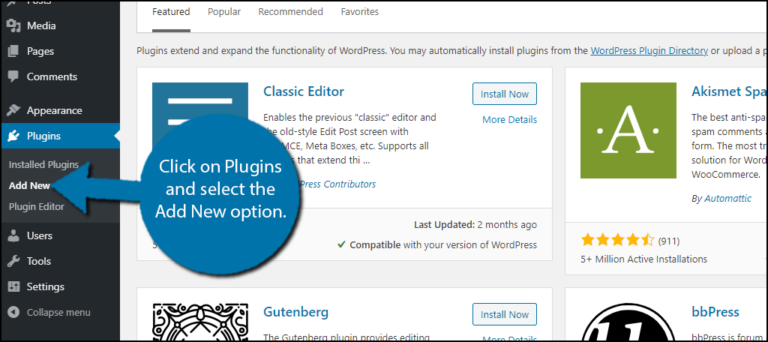
Use these steps to Install & Disable WordPress Plugins: 1. Log in to your WordPress 2.Hover on Plugins from the left side of the WordPress menu bar and click on Add new 3. You can select your desired plugins here…
1. Log in to cPanel to Remove WordPress from Softaculous. 2. Search Softaculous Apps Installer in your cPanel. 3. Click Installations to Remove WordPress from Softaculous 4. Locate the WordPress website and click on the delete Icon that you wish…
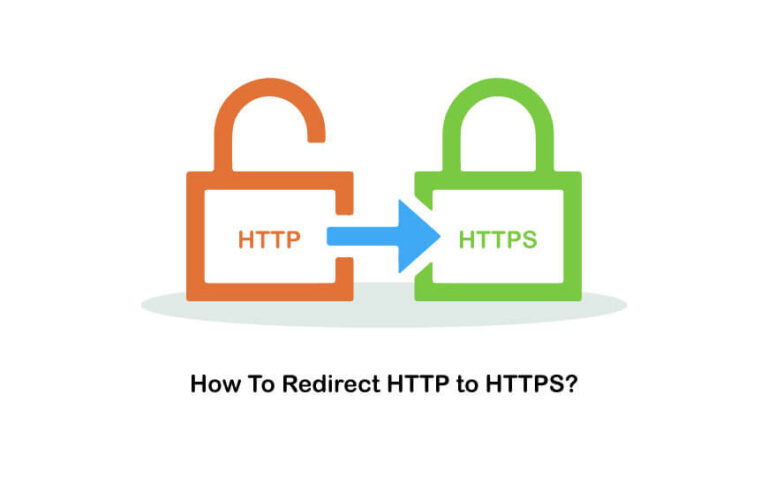
To redirect your domain from HTTP to HTTPS there are 2 methods. Method 1: 1. Log into your Cpanel and go to File Manager to Redirect HTTP to HTTPS 2. Go to public_html 3. Go to settings. 4. Check on…
1. Log into the cPanel user interface to Reset WordPress Password from phpMyAdmin 2. Search phpMyAdmin or Click phpMyAdmin from the Databases section This will launch the phpMyAdmin app where you need to select your Word-Press database. 3. Look for…

To increase WordPress memory limit follow the steps : 2. Search MultiPHP INI Editor or select from the Software section of the cPanel dashboard 3. Select your domain 4. Change the memory_limit to 128M or some other number to the…
To install WordPress in a domain from Cpanel follow the steps : You will see the Softaculous panel like the screenshot below. Click on “Install Now”. Then you will see a page like below. The steps are described in the…